



You’ll Never Forget to Get It Again!
Previously known as Stock ‘n Ship, OEM AutoShip is an auto-replenishment feature for the parts, chemicals and consumables you use most.
You can now set up recurring deliveries for multiple products quickly and easily. If you already have an auto-shipment, you can add other products to it anytime.
How OEM AutoShip Works
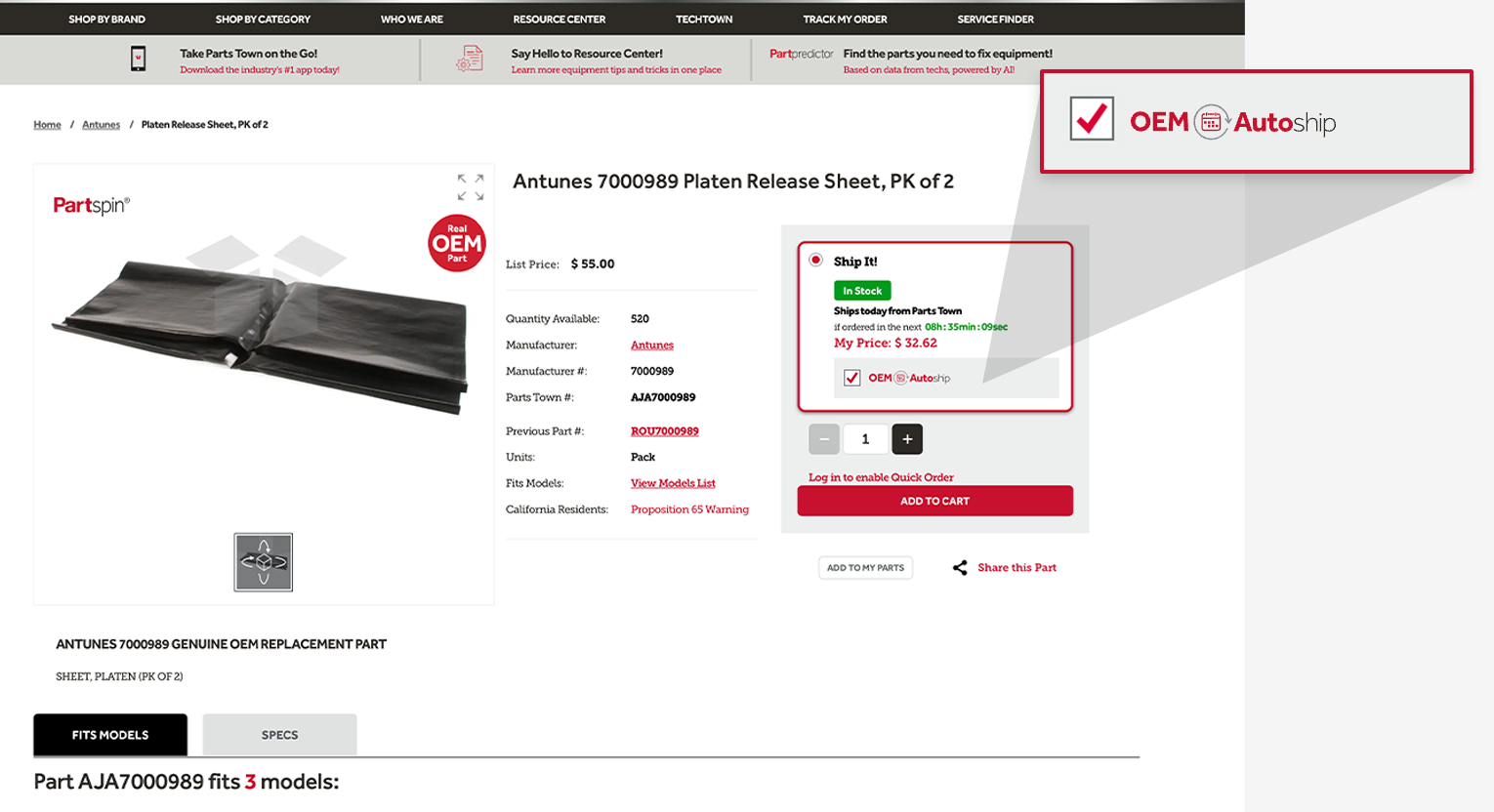
First, make sure you’re logged into your partstown.com account. When you find the real OEM part you need, look for the OEM AutoShip box and click it!
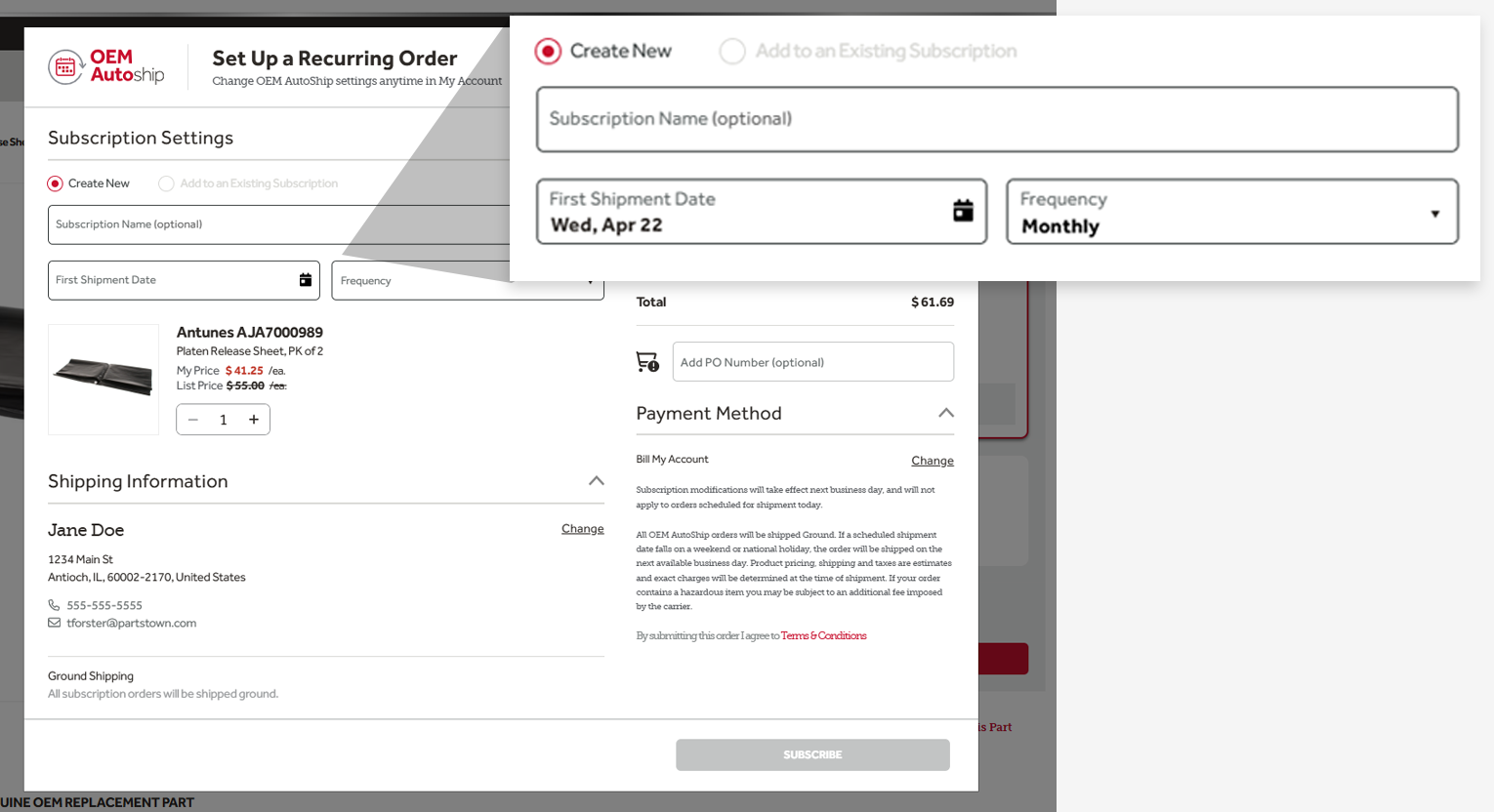
Next, choose your date of first shipment and delivery frequency. Double check that your payment and shipping info is correct.
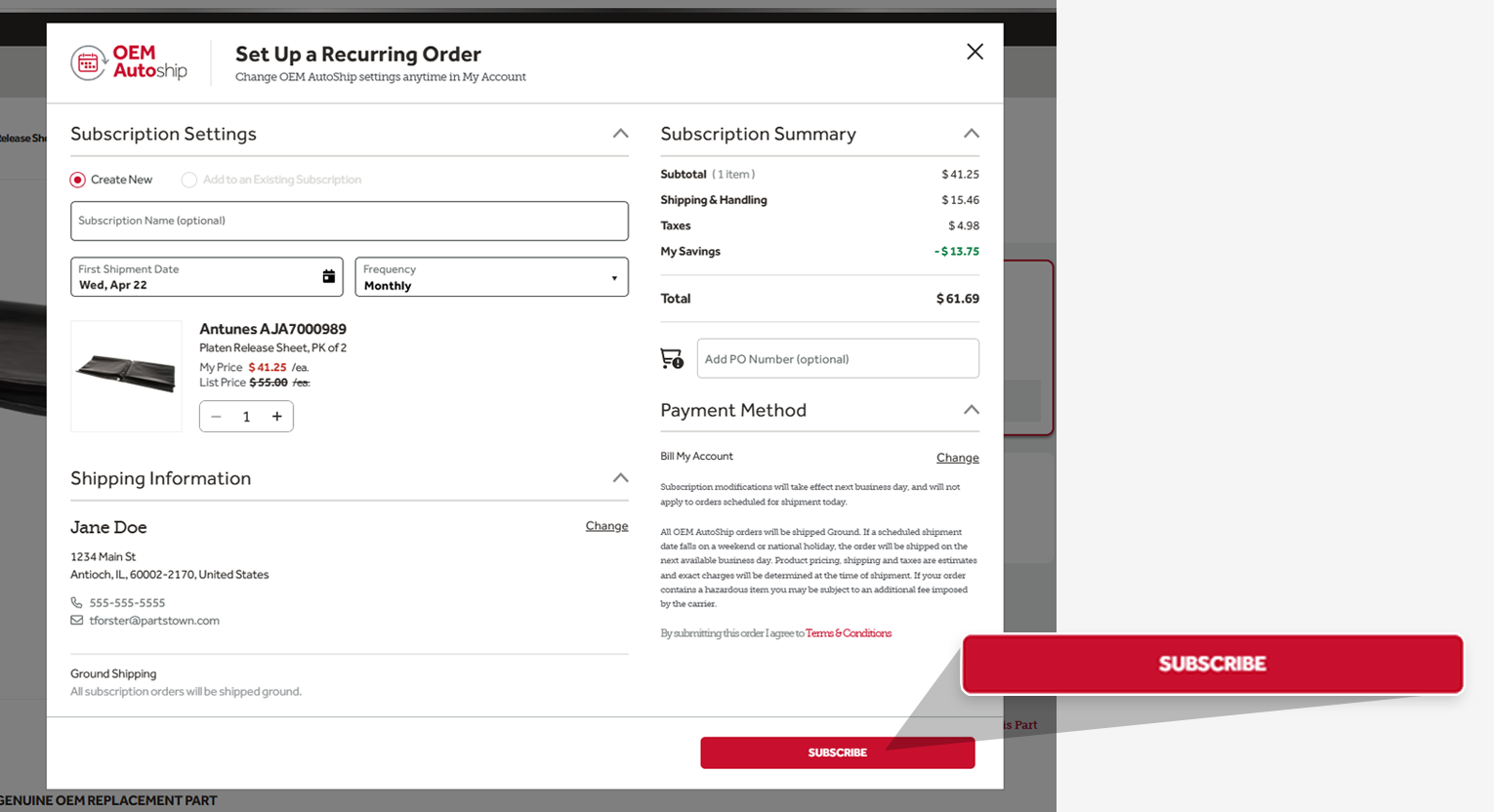
Finally, place your order and receive a confirmation email. It's that easy!
How to Manage OEM AutoShip Orders
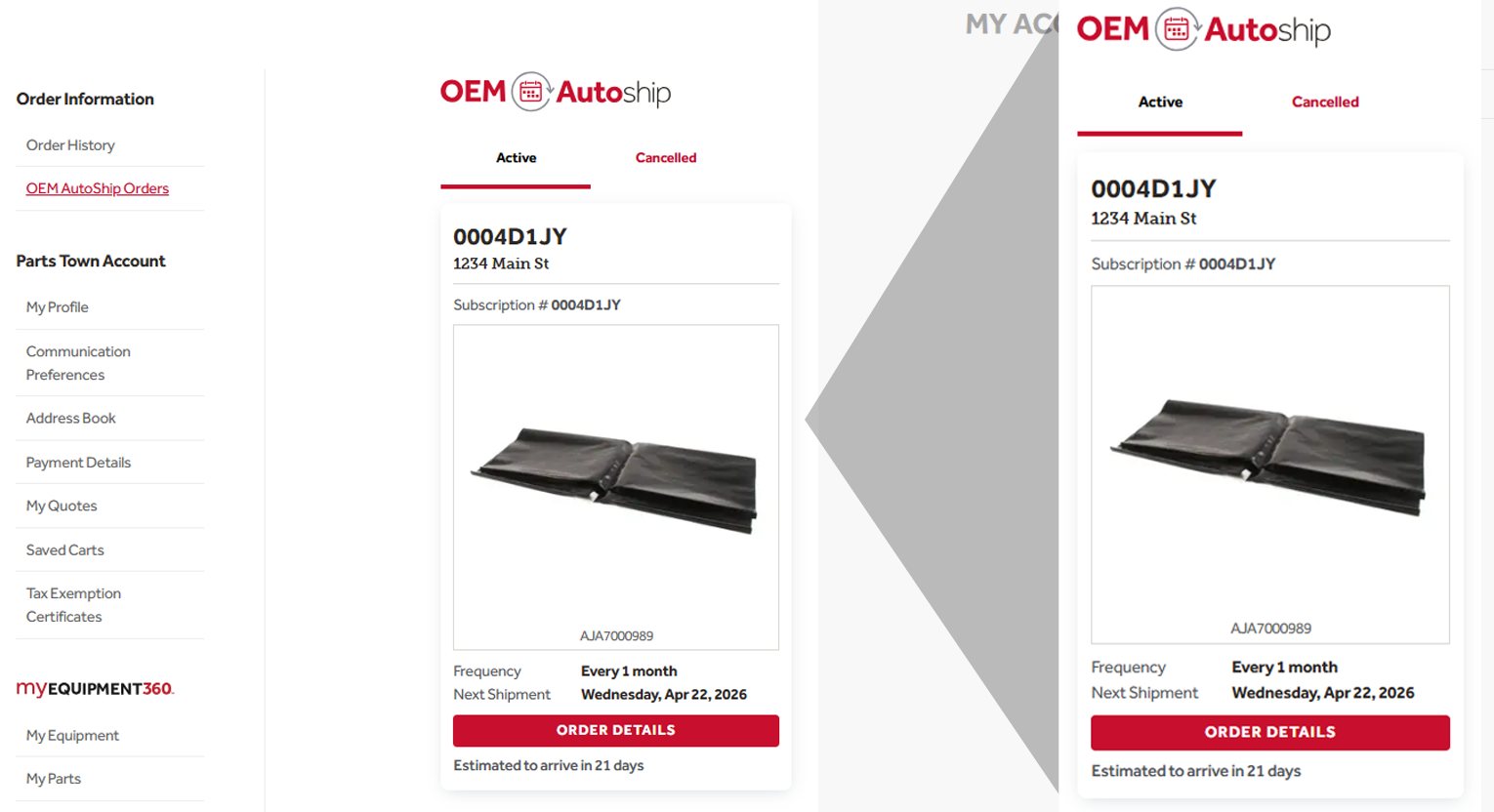
Make updates quickly and easily to any auto-replenishment orders when you log into your Parts Town account.
Go to My Account and choose OEM AutoShip Orders. You will then be able to:
- See the details of your recurring orders
- View delivery dates
- Skip, cancel or remove products individually for an upcoming order
- Update quantities to an existing subscription